
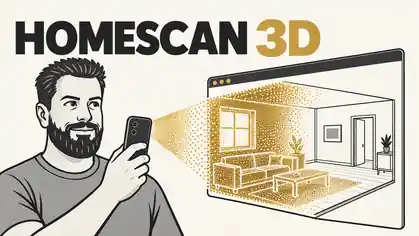
A folder of photographs can show you every room in a house and still leave you unsure how the place fits together. The kitchen is clear. So is the hallway. Understanding the connection between them takes more effort.
I want to make that easier: open a website on a phone, walk through a home, and produce a 3D scene that someone else can explore in their browser.
That is the brief behind HomeScan, a project I am shaping through Dynamic Apps. The interesting work begins when that simple sentence meets capture quality, reconstruction and the realities of a mobile browser.
It also returns to a subject already present in my archive on webcams and 3D scans, this time with the home walkthrough as the starting point.
What Gaussian splatting gives us
The technique I am exploring is 3D Gaussian splatting. The original 2023 research describes a way to represent a photographed scene using many small, overlapping three-dimensional Gaussians. Their position, shape, opacity and appearance are optimised so that the rendered scene resembles the input photographs from different viewpoints.
Think of soft, translucent marks arranged in space. Viewed together, they can reproduce the appearance of a room, including detail that would be laborious to model by hand.
For HomeScan, I am treating the result as an explorable visual record. That makes the initial promise quite specific: help somebody understand what a place looks like and how its visible spaces relate.
Measurements would need a separate standard of evidence. Before relying on a scan to order cabinetry or establish a building dimension, I would want scale calibration and accuracy testing against known measurements. A convincing image alone would not establish that accuracy, nor create a complete CAD or building information model.
A walkthrough needs a little guidance
The phone interface needs to help people capture useful material. Leaving someone to wander around and hoping the reconstruction works would make the outcome too unpredictable.
COLMAP’s capture guidance, relevant to the image-matching stage of this workflow, emphasises overlapping views, visible texture, consistent lighting and movement between camera positions. Plain white walls and shiny surfaces can make matching harder. Standing in one spot and turning the phone provides different evidence from actually moving through the space.
My design response is to make capture a guided activity. I want the app to prompt a steady pace, encourage views back through doorways and help the user notice areas they have missed. The wording should be practical: “take another view of this corner” is more useful than an unexplained technical score.
A short review before processing would let the user discard blurred images and confirm the rooms they captured. That is a useful moment to fix a gap, while they are still at the property.
Four stages behind a simple experience
The design separates capture, export, reconstruction and viewing.
- Capture: collect and organise the photographs, with enough information to keep each scan together.
- Export: package the images and scan details so they can move reliably into processing.
- Reconstruction: estimate camera positions and optimise the scene representation from those images.
- Viewing: load the finished asset, navigate through it and share it with the intended people.
Each stage needs its own definition of success. Saving a collection of photographs proves capture. Opening an existing splat proves viewing. The complete journey requires the photographs from that particular scan to become the scene the user can explore.
The reference Gaussian splatting implementation uses a PyTorch optimiser with CUDA extensions. My proposed architecture therefore puts reconstruction in a separate GPU processing job, while the website handles capture, progress and viewing. This gives processing its own queue, progress reporting and cost per scan.
For viewing, PlayCanvas provides support for building Gaussian splat applications in the browser. That gives me a foundation for the interactive scene, with room to develop navigation and useful annotations around it.
The useful part is the next conversation
A 3D home is interesting to look at. I am more interested in what somebody could do with it afterwards.
Consider an early renovation discussion. A homeowner and a builder could look at the same doorway, move into the adjoining room and mark the area they are discussing. The scan would provide context for the conversation, alongside the measurements and inspection the work requires.
Another possibility is a dated visual record of a project. Captures taken at agreed stages could help people revisit what was visible at the time. The date, location and notes would matter as much as the ability to move the camera around.
I would also explore property maintenance: attach an issue to its location, add close-up photographs and give the person attending enough context to prepare. These are use cases to test with people doing the work.
The next test is one ordinary room
HomeScan is still an experiment; the next test is a complete capture-to-viewing journey using one ordinary room.
The test should follow the experience another person would have: capture the room on a phone, process those images, reopen the resulting scene and navigate it without assistance.
I want to record where the capture failed, how long processing took, whether the scene loaded comfortably and which parts looked incomplete. I also want storage and sharing choices to be clear before anyone uploads images of the inside of their home.
Success at that stage would give me something worth extending: a repeatable way to preserve the visual context of a real space. The next room can come after that.